Working out who has actually paid
Why the invoice, the card payout and the bank disagree about whether a customer has paid, and the routine that stops a paid customer being chased.
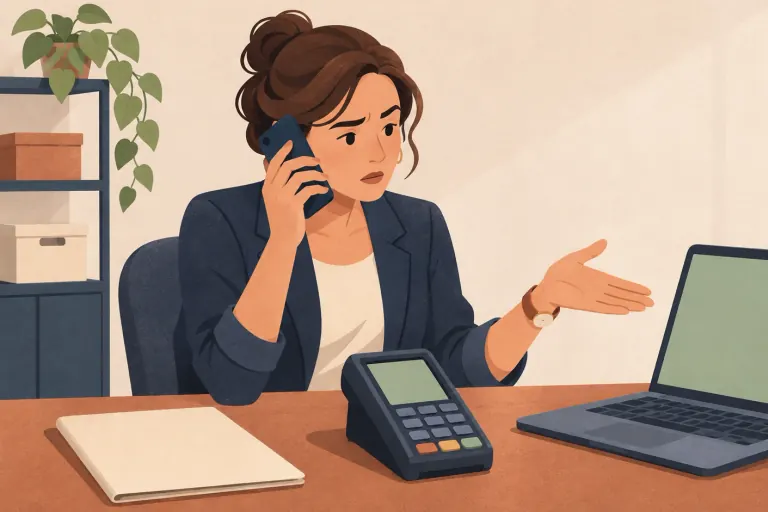
Most payment chasing goes wrong before anyone sends anything. The invoice, the card processor, the bank and the front desk each hold a piece of the truth, and the reminder runs on whichever piece is stale.
The damage is rarely the amount. A customer who has already paid and is asked again becomes a story about a careless business, and in trades that run on referrals the story travels to the next customer.
What the trades have in common is a boring routine: one authoritative invoice balance, external payments entered the same day, an exception list worked before reminders run, and one reminder engine per bill.
Trades, repairs & services at a property

What it looks like
- A plumber takes a check on a Friday evening, nobody records it, and Monday morning the automatic reminder texts the homeowner that the invoice is past due.
- A roofer takes a deposit by card and the balance by transfer, then the office tries to read the card payout, which bundles three jobs, and cannot tell which invoice it settles.
- A cleaner is paid in cash at the door and the next scheduled follow-up goes out before anyone enters the payment.
What it costs
- Customers already paid for
- The customer has already paid and is chased anyway. That turns a finished job into a story about a business that is careless with money, and the customer stops recommending it.
- Trust and reputation
- Most of this work arrives through referrals and repeat jobs, so one wrong chase does not stay with one invoice. Neighbours and past clients hear the version where the business came after someone who had paid.
- Load on the owner and team
- Someone spends the morning with a bank statement, a payout report and a message thread open, trying to prove a payment that already exists.
The numbers
- Load on the owner and teamJobber’s March 2026 survey of 1,050 U.S. home-service business owners found 16% named collecting payment among their most time-consuming daily tasks.[1]
- Customers already paid forIn Jobber’s March 2026 survey of 1,050 U.S. home-service owners, 48% said they are usually paid on the day a job is completed and 31% said they are paid within one to three days.[1]
- Load on the owner and teamThe same Jobber survey of 1,050 U.S. home-service owners found 40% named customer communication among their most time-consuming daily tasks.[1]
In Jobber’s March 2026 survey of 1,050 U.S. home-service owners, 48% said they are usually paid on the day a job is completed and 31% said they are paid within one to three days.[1]
How well-run businesses handle it
- Make the invoice the only balance. One invoice per job holds the amount due. Quotes, texts, payout reports and bank entries are evidence you check against it, never a second place where a balance lives.
- Enter outside money the day it arrives. Whoever takes a check, cash or a card on another terminal records it against the invoice the same day, with method, amount and reference.
- Work the exceptions before reminders run. Once a day, before the first follow-up window, open the past-due list and match each invoice against the processor payout and the bank deposit.
- Keep the reminder schedule short. Two automated follow-ups at most, and only after the daily check. A long cadence aimed at bad data turns one recording error into four complaints.
- Give the customer one way to answer. Reminders come from the office number the customer already uses, and a reply goes to a named person who can look at the invoice that day.
Where it lives in the software
- Jobber: Invoice > Collect Payment. Records a card, cash or check against one invoice with method, amount and transaction date. Partial payments reduce the balance, and the invoice shows Paid only once nothing is owed.[2]
- Jobber: Settings > Automations > Invoice follow-up. Holds up to two invoice follow-ups, each set as a number of days after the due date with a maximum of 90, and sends them shortly after 8am local time to invoices in past due status.[3]
Mistakes that make it worse
- Closing an invoice without recording a payment marks it Paid even when the balance is not zero, so the customer still owes money and nothing will ever remind them.
- Switching follow-ups on before anyone has a habit of entering checks and cash, so the automation is correct and the data behind it is wrong.
- Reading one processor payout as one customer’s payment when it bundles several jobs and fees.
Count it in one week
- Invoices where someone had to open a bank statement, payout report or message thread to decide whether the customer had paid.
- Reminders sent to customers whose payment had already arrived.
- Minutes spent on payment questions, counted by whoever answers the office phone.
Clinics & health practices
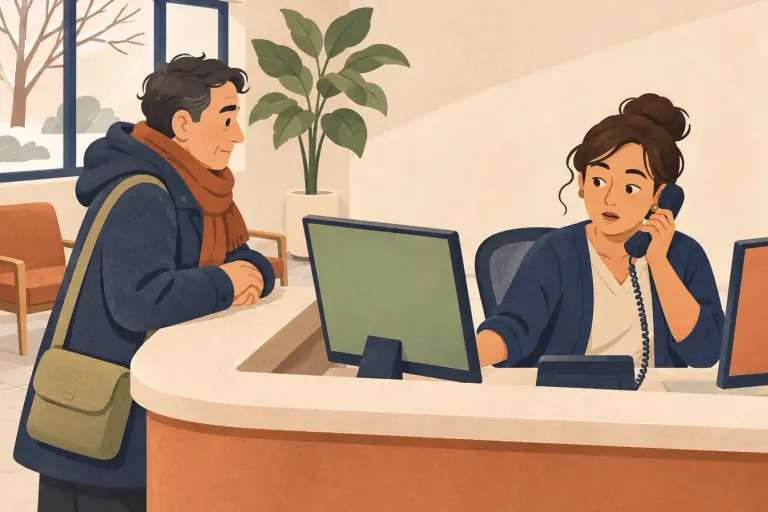
What it looks like
- A patient pays a balance by phone after insurance settles, and an old digital payment request still open sends another text.
- A therapy client hands a check to reception while the practice system still lists an online request as outstanding.
- A dental office sends a second balance message because the ledger, the payment request tool and the card processor are not in the same state.
What it costs
- Customers already paid for
- The patient did what was asked and is asked again. For someone already dealing with insurance and a bill they did not expect, that is the moment they decide the practice is disorganised.
- Trust and reputation
- Billing problems appear in public reviews, and prospective patients read those reviews before they book.
- Load on the owner and team
- Front desk staff become collectors, moving between the practice system, the payment processor and the bank to answer a question that should take one screen.
The numbers
- Trust and reputationrater8’s June 2026 Patient Choice Report, based on 992 U.S. patients surveyed in April 2026, found 40% named billing issues among the review complaints that would stop them booking with a provider.[4]
- What customers expectSinch Engage’s January 2026 survey of 1,000 U.S. patients found 35% wanted to text a billing department directly, against 68% who wanted to text front desk or scheduling staff.[5]
- What customers expectSinch Engage’s January 2026 survey of 1,000 U.S. patients found 49% wanted insurance or billing updates by text, and 40% worried about getting too many messages from a provider.[5]
Front desk or scheduling staffBilling department
Sinch Engage’s January 2026 survey of 1,000 U.S. patients found 35% wanted to text a billing department directly, against 68% who wanted to text front desk or scheduling staff.[5]
How well-run businesses handle it
- Keep one balance per patient. The practice system holds the ledger. Whatever the payment request tool says, the ledger decides what is owed, and a mismatch is a task for today.
- Close the request, not only the payment. When a patient pays by another route, the open request is marked paid or cancelled in the same sitting. A request left open is a reminder waiting to fire.
- Clear the queue before the day starts. Each morning, open the requests with their requested and last reminded dates and check them against payments received since the previous day.
- Keep billing out of clinical replies. Billing messages go through the billing route with a person who can answer. Clinical questions never travel inside an automated payment reminder.
- Say what the amount is for. A reminder names the visit or statement the balance belongs to and offers one way to ask a question, so the patient does not have to guess.
Where it lives in the software
- NexHealth Payments: Payments > Collect payment > Send request. A sent request appears in the Awaiting payment tab with the date it was requested and last reminded, and moves to Transaction history by itself once the patient pays through it.[6]
- NexHealth Payments: Templates > Payments > Add time. Reminder intervals count from the first request message rather than the last reminder, so each interval is set explicitly, and payment requests expire after 90 days.[7]
- NexHealth Payments: Awaiting payment > Manage > Mark as paid. Records a payment taken outside NexHealth, such as cash or a check, so the request stops and the payment appears in Transaction history as manually marked as paid.[6]
Mistakes that make it worse
- Treating a sent message as proof that money is still owed.
- Leaving an open request alive after the patient paid elsewhere, so every later reminder works from stale data.
- Sending every billing event by text because patients like texting generally. Billing updates are a narrower preference than appointment reminders.
Count it in one week
- Open payment requests where the ledger already shows zero, or where the payment exists somewhere else.
- Patients who hear from the practice more than once after paying.
- Minutes staff spend moving between the practice system, the processor and the bank to prove one payment.
Salons, spas & personal care

What it looks like
- A client pays a deposit online and the rest at the chair, and later someone reads only one of those two records.
- A client pays through a link after leaving, while reception still sees an old balance on another screen.
- A client sends a screenshot saying the card was charged, and the stylist spends twenty minutes tracing it through the till, the transaction list and the bank.
What it costs
- Customers already paid for
- A regular who has paid twice is the client who leaves quietly and tells three friends on the way out.
- Trust and reputation
- A wrong charge message lands on top of a service the client has already judged. It confirms the suspicion that the business is careless with money.
- Load on the owner and team
- The stylist or the front desk rebuilds a transaction after the client has gone, usually with the next client waiting.
How well-run businesses handle it
- Sell and take money in one place. Every service and product goes through the till, so the sale and the payment are the same record rather than two systems that have to agree later.
- Close the ticket at the chair. Before the client stands up, the screen shows nothing due and the remaining amount is taken then, while the card is still out.
- Check the day against the deposit. At close, open the transaction list, total the day’s card takings and compare with the payout. Only the lines that do not match need attention.
- Enter outside money before the next shift. Cash outside the till, transfers and gift cards are entered the same day, not the next quiet Tuesday.
- Answer a payment claim with the record. Pull the transaction, then reply with the receipt and its date. An argument from memory costs more than the amount in dispute.
Where it lives in the software
- Vagaro: Reports > Transactions List. Run the report for the day, open any transaction and choose Receipt from the Action menu to see what was charged and how it was paid, which is the record to check before a collection message.[8]
Mistakes that make it worse
- Letting the appointment book, the till receipt and the bank deposit each count as a separate version of paid.
- Assuming one processor deposit equals one service ticket, when a deposit can cover several clients and refunds.
- Adding a charge a client did not expect, especially where no cancellation policy is stated anywhere they would have seen it.
Count it in one week
- Paid appointments where the payment status is not visible on one client record.
- Clients who send a receipt or screenshot to prove they paid.
- Minutes spent rebuilding a transaction after the client has left.
Professional & client services

What it looks like
- A law firm client pays a bill through one route while a second reminder sequence keeps running from another system.
- An accounting client pays by bank transfer, the money arrives, and the invoice stays open because nobody matched the transaction.
- A consultant sees a payout that covers several invoices and works backwards through email to see who still owes.
What it costs
- Customers already paid for
- A client who paid on time gets a firm reminder and starts wondering what else the firm gets wrong.
- Trust and reputation
- In work built on accuracy and confidentiality, a wrong money message is read as evidence of how the file is being handled.
- Load on the owner and team
- The person who should be doing billable work spends the afternoon proving a payment.
The numbers
- What customers expectTaxDome’s October 2026 survey of 1,000 U.S. adults who hire accountants or tax preparers found 76% said their accountant should use a secure portal, while 44% said theirs does.[9]
- Trust and reputationThe same TaxDome survey of 1,000 U.S. clients of accountants and tax preparers found 3 in 4 wanted one platform for all communication and document sharing.[9]
- What customers expectTaxDome’s October 2026 survey also found 87% of the 1,000 clients wanted reassurance about the technology their accountant uses.[9]
76%
of clients said their accountant should use a secure portal
TaxDome’s October 2026 survey of 1,000 U.S. adults who hire accountants or tax preparers found 76% said their accountant should use a secure portal, while 44% said theirs does.[9]
How well-run businesses handle it
- Pick one reminder system. Either the billing reminders or the workflow reminders, never both. Two engines send two letters for the same bill and neither knows about the other.
- Match money before the cadence. Bank and processor transactions are matched to invoices daily, before the automated schedule gets a chance to act on an invoice that is already settled.
- Give every reminder a reply owner. Replies go to a named person with billing rights, so an “I already paid” turns into a case to check rather than an unread email.
- Check the pause, do not assume it. A client on a payment plan is taken out of the chase, and someone verifies that the pause covers the route that plan actually deposits through.
- Keep client money and firm money separate. Where client funds are held in trust, reminder rules are checked against the account the plan pays into, because the pause that exists for one does not apply to the other.
Where it lives in the software
- Clio Manage: Settings > Billing > Automated Bill Reminders. Sets the default on or off, the send method, the schedule and who receives replies. Reminders stop when a bill is paid in full or written off, and pause only for active payment plans that deposit to an operating account.[10]
- Clio Manage: Automations > Workflows > bill reminder template. Checks the bill’s payment status before each step, so a pending, authorised or manually recorded payment stops the reminder. The page warns that running both reminder methods can send two reminders for the same bill.[11]
- QuickBooks Online: Settings > Account and settings > Sales > Reminders. Takes up to three automatic reminders, each set a chosen number of days before or after the due date, and sends them only for invoices that were already emailed and are still unpaid.[12]
Mistakes that make it worse
- Turning on both Clio reminder systems. The client gets two letters, and turning off the client-level reminder does not stop the workflow.
- Assuming a paused reminder covers every payment plan, when a plan depositing to a trust account is not paused.
- Switching reminders on before bank transactions are matched, so every unmatched transfer becomes a chase.
Count it in one week
- Clients with an open invoice while the money is already in the bank or the processor.
- Clients who received more than one reminder for the same bill.
- Hours spent proving payments instead of billable work, summed over one week.
Agencies & project teams

What it looks like
- A retainer client pays by transfer, and the account manager learns the invoice is still open only when the client forwards the bank confirmation.
- A studio takes a deposit and the final payment through different tools, and an automated reminder reaches a client of five years.
- A finance person spends Friday evening matching one bank deposit to several client invoices.
What it costs
- Customers already paid for
- A client who has paid is asked again, and the person who owns the relationship has to repair it.
- Trust and reputation
- Clients judge an agency on whether its numbers are right. A wrong balance message undercuts every report the agency sends.
- Load on the owner and team
- Payment matching lands at the end of the week, on the person least able to say no to it.
The numbers
- What customers expectAgencyAnalytics’ June 2026 report, based on 494 marketing-agency professionals surveyed between February and April 2026, found 97% rated accurate reporting important or extremely important for keeping clients.[13]
- Customers already paid for55% of the 494 marketing-agency professionals in the same AgencyAnalytics report said the question they hear most from clients is whether marketing performance can be tied to revenue.[13]
- Trust and reputationThe same AgencyAnalytics report of 494 marketing-agency professionals found 80% said strong relationships were the top factor in client retention and 69% named effective communication.[13]
The same AgencyAnalytics report of 494 marketing-agency professionals found 80% said strong relationships were the top factor in client retention and 69% named effective communication.[13]
How well-run businesses handle it
- Keep receivables in one ledger. Invoices live in the accounting system. Project tools and shared drives hold the work, never a balance.
- Treat the bank feed as evidence. Incoming money is matched to an invoice, not entered as a second transaction. A matched payment is how an invoice stops being open.
- Match daily, remind later. Automatic reminders go on only once someone checks incoming payments each working day, before the schedule can act on stale balances.
- Route money questions to one person. Account managers forward “did they pay?” to the finance owner instead of reading a bank screenshot and answering from it.
- State the invoice, not the mood. A reminder names the invoice, the amount and what it covers. Firmer wording on top of a data error reads as a demand.
Where it lives in the software
- QuickBooks Online: Settings > Account and settings > Sales > Reminders. Schedules up to three reminders a chosen number of days before or after the due date, up to 90 days either way, and sends them only to invoices already emailed and still unpaid.[12]
Mistakes that make it worse
- Letting account managers infer paid or unpaid from a bank screenshot, which creates an unofficial second ledger.
- Adding firmer wording each week without checking the balance first.
- Letting an automated message state a balance, a fee or an explanation that nobody verified.
Count it in one week
- Invoices where an account manager had to ask finance whether the client had paid.
- Client-facing reminders that had to be withdrawn or apologised for.
- Payment matching done after hours, counted in minutes.
Classes, studios & memberships

What it looks like
- A member’s card declines on Monday and succeeds on Wednesday, and the desk is still working from Monday’s failed list.
- A parent pays a term fee at the desk while recurring billing still shows an open invoice.
- A family’s package is changed by hand, leaving an old recurring charge and its reminder alive.
What it costs
- Customers already paid for
- A member who paid is chased in front of the class, and cancelling becomes easier than explaining.
- Trust and reputation
- Members recruit their friends, so one wrong charge story travels through exactly the people most likely to join next.
- Load on the owner and team
- The desk spends its quiet hours rebuilding a payment history instead of selling the next term.
The numbers
- What customers expectZenoti’s July 2026 survey of 1,393 current and former U.S. gym and health-club members found 58% wanted an alert before a membership renewal charge.[14]
How well-run businesses handle it
- Read the attempt history, not the last result. One invoice can carry several tries. Check the latest attempt and the total number of tries before deciding what to say to the member.
- Separate hard declines from retryable ones. An expired or blocked card needs a new card from the member. Insufficient funds may clear on a retry. The two get different messages.
- Clear the queue before the morning rush. Failed payments are worked before the first class, and each one is closed as collected, retried or written off, so the list is empty by mid morning.
- Tell members before the charge. A reminder before a renewal and a receipt after it remove the surprise that turns a legitimate charge into a public complaint.
- Count families, not students. One household is one relationship. Three invoices for three children are one conversation, not three collection cases.
Where it lives in the software
- ABC Glofox: Reports > Failed Payments. Lists failed recurring card payments with the dates, offers Retry and Write Off on each row and exports to CSV, which makes it the queue to work before any member is contacted.[15]
Mistakes that make it worse
- Calling every failed attempt unpaid without checking whether a later attempt succeeded.
- Sending the same message for a soft decline, an expired card and a payment that was actually collected.
- Changing a membership by hand at the desk and leaving the old recurring charge running.
Count it in one week
- Membership invoices with more than one attempt where staff cannot state the final status.
- Members contacted after a successful collection.
- Minutes spent telling a genuine decline from a stale failed attempt.
Sources
Every figure above was read on the source page.
- Blue Collar Strong: The 2026 Home Service Trends Report, Jobber, March 2026.1,050 U.S. home-service business owners across cleaning, HVAC, roofing, plumbing, electrical, lawn care, tree care and general contracting; fielded by Conjointly in December 2025; margin of error plus or minus 3 percentage points at 90% confidence
- How to Collect Payment on an Invoice, Jobber Help Center, November 2026.
- Automations, Jobber Help Center, October 2026.
- 2026 Patient Choice Report, rater8, June 2026.992 U.S. adult patients after removing 218 of 1,210 responses; aged 18 to 65 and over; surveyed via SurveyMonkey in April 2026
- The State of Patient Communication in 2026, Sinch Engage, January 2026.1,000 U.S. patients aged 18 to 78 nationwide; fielded December 4 to 7, 2025
- How do I collect payment from someone who is not currently in the office?, NexHealth Help Center, September 2026.
- How do I send automated payment reminders to patients?, NexHealth Help Center, September 2026.
- Star WIRELESS Printer Setup, Mac Computers, Vagaro Support, March 2026.
- Client Satisfaction Report statistics: what taxpayers expect from their accountants, TaxDome, October 2026.1,000 U.S. taxpaying adults who hire accountants and tax preparers; 95% confidence level with a 3.3% margin of error; field dates not disclosed on the page
- Send and Automate Bill Reminders, Clio Help Center, September 2026.
- Send Bill Reminders With Workflows, Clio Help Center, January 2026.
- Send invoice reminders automatically or manually in QuickBooks Online, Intuit QuickBooks, October 2026.
- 2026 Marketing Agency Benchmarks Report, AgencyAnalytics, June 2026.494 marketing-agency professionals, 45% owners or leaders and 55% employees, 64% based in the U.S.; Typeform survey fielded February to April 2026
- 2026 gym member survey: what today’s fitness consumers actually want, Zenoti, July 2026.1,393 current and former U.S. gym and health-club members across all regions and age groups; surveyed in May 2026
- Understanding the Failed Payment Report, ABC Glofox Help Center, March 2026.
Related: What a new customer costs to win · Owner and operator stress from admin work